
Set Up Kontakt Multi Outputs In Reaper
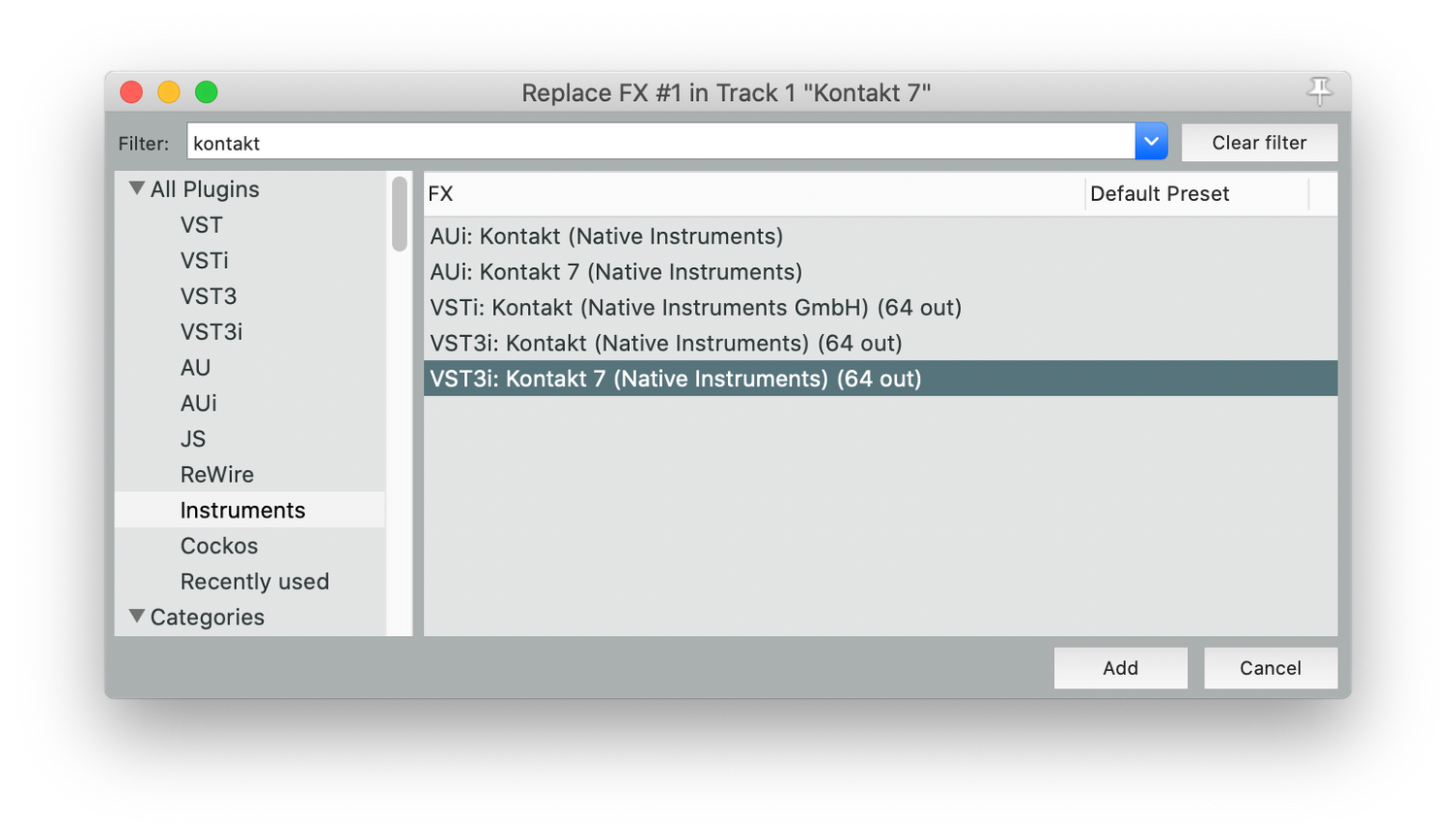
Step 1
In Reaper, choose VST3i: Kontakt 7 (64 out)
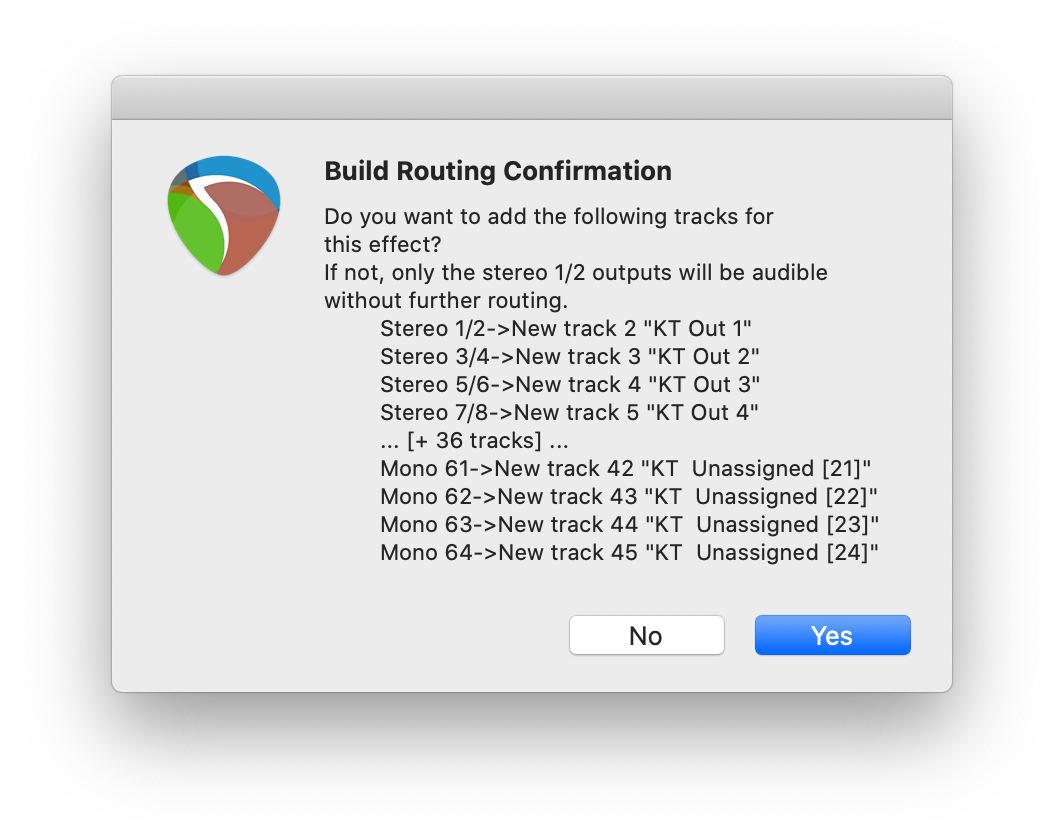
Step 2
Select "No" for build output configuration. This would make way too many tracks.
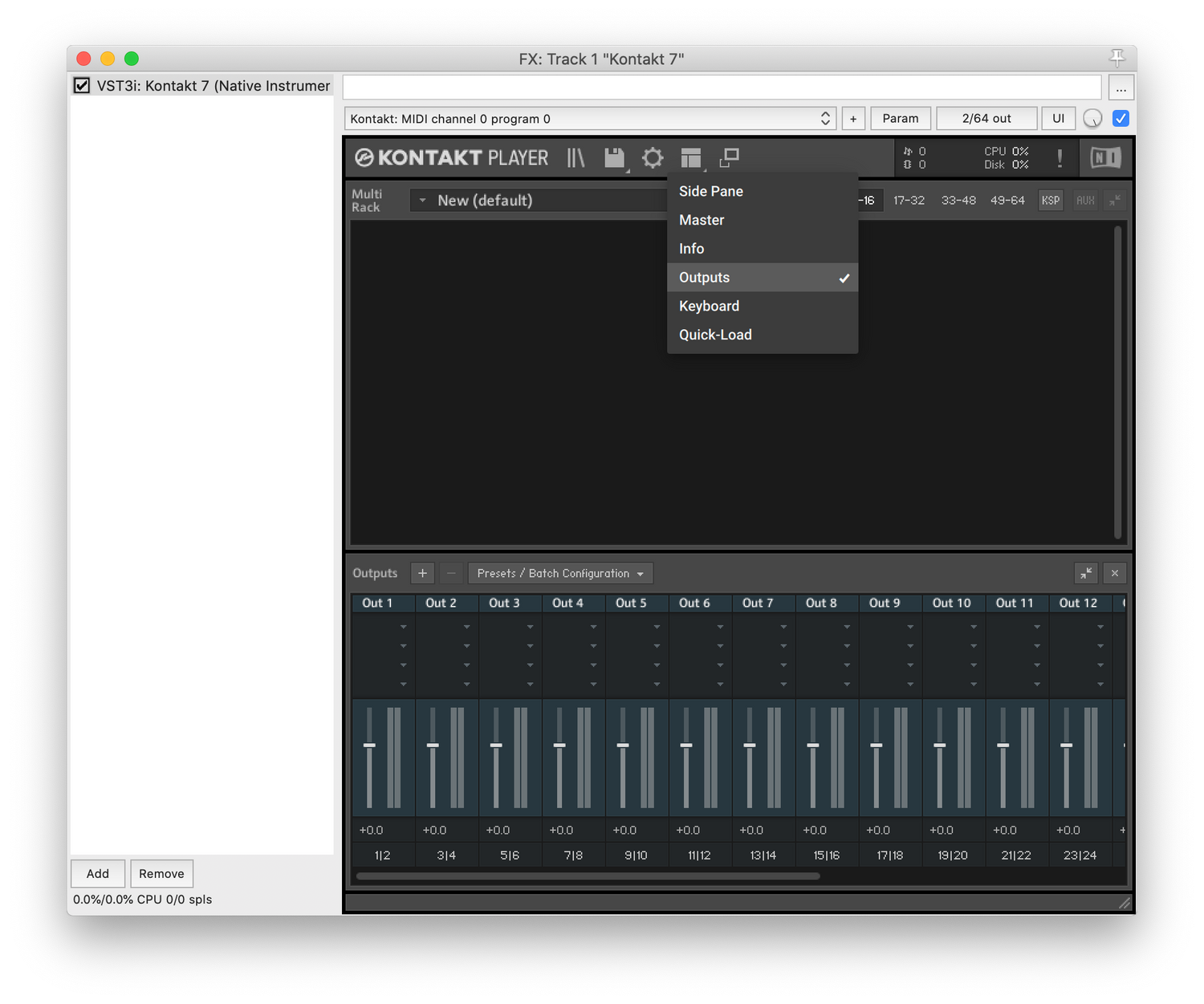
Step 3
Before you load RDD in Kontakt, open up the Outputs panel.
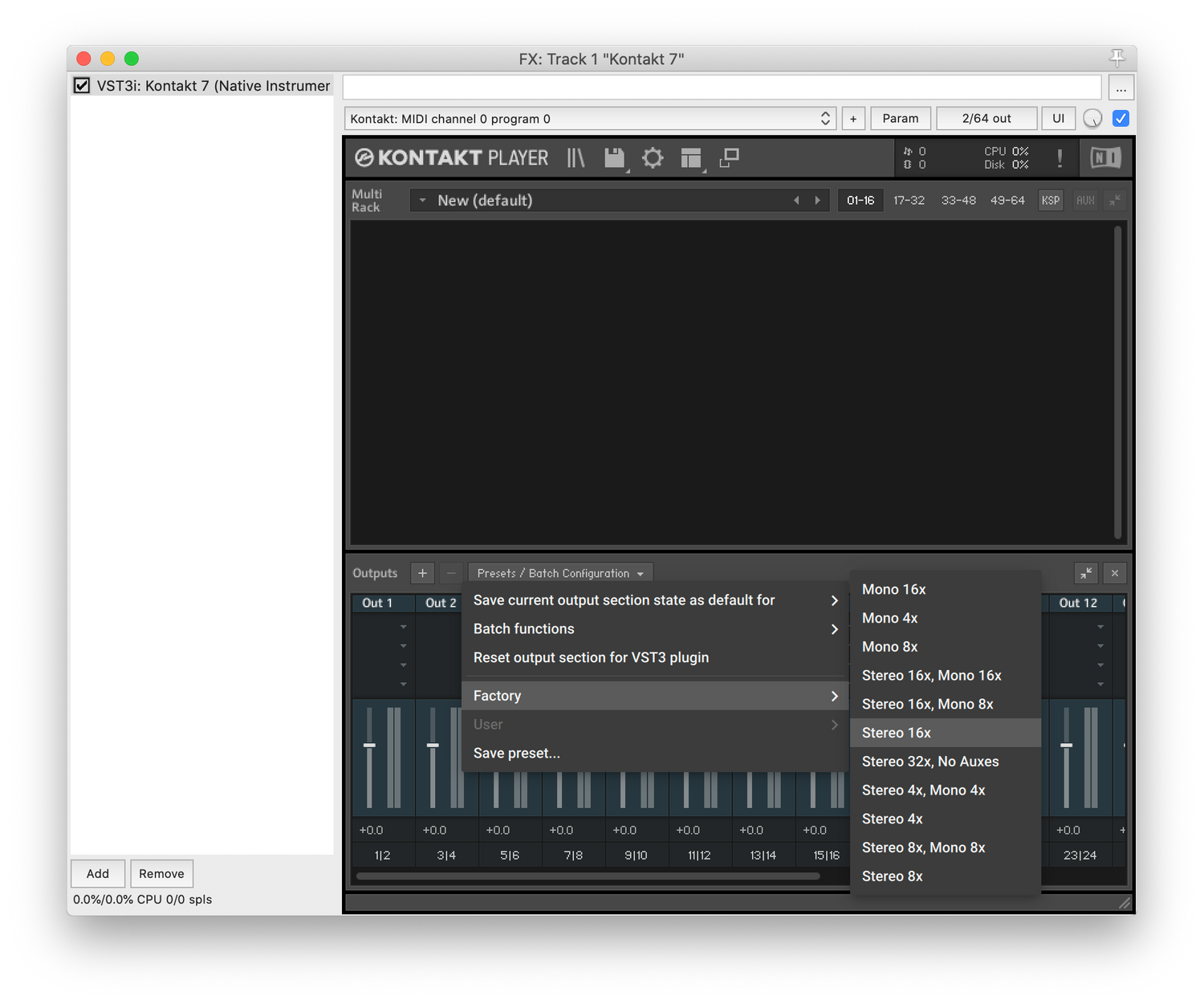
Step 4
Choose the Stereo 16x preset
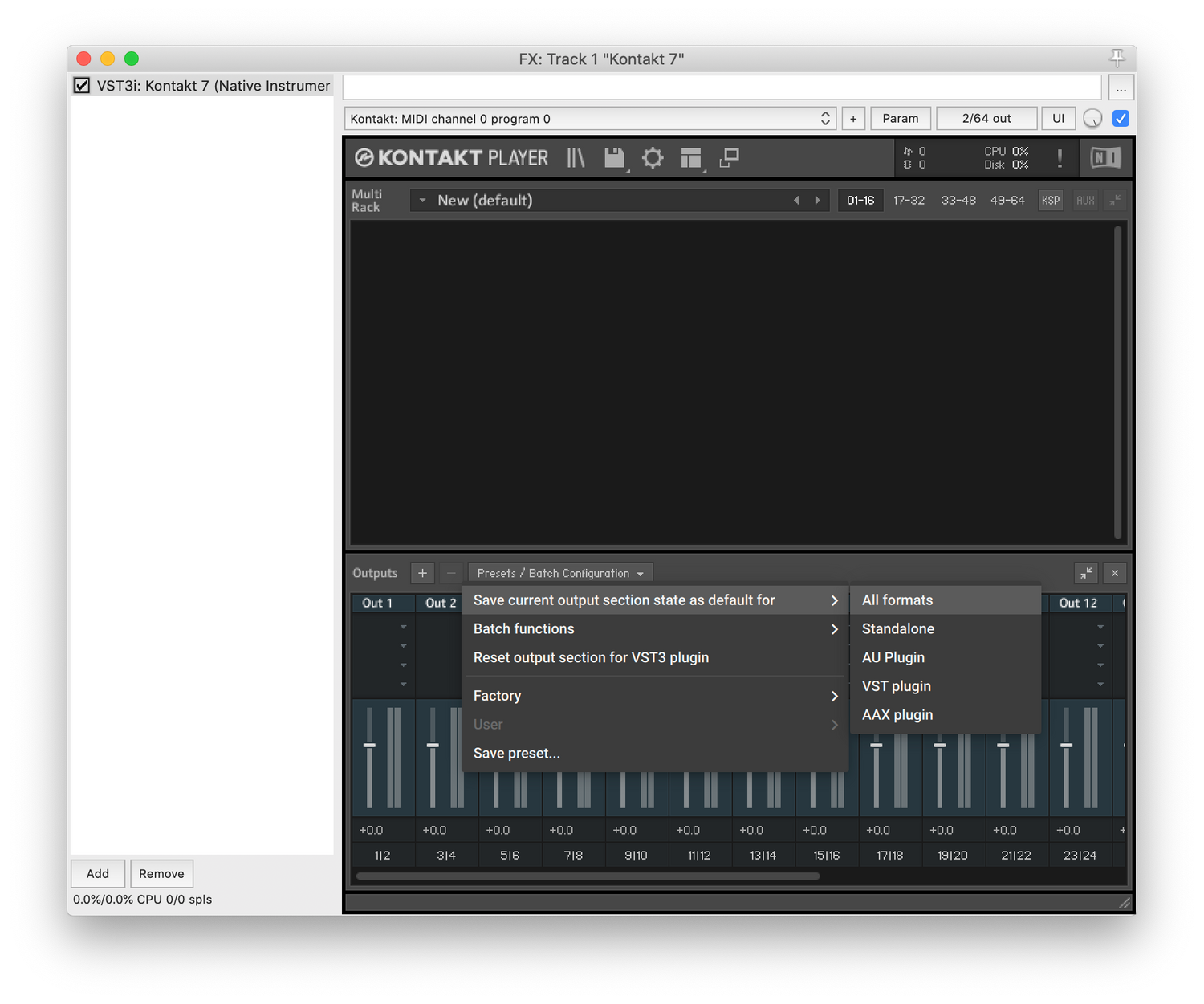
Step 5
Save that as default for All formats.
IMPORTANT: Save your project, quit Reaper and then reopen it.
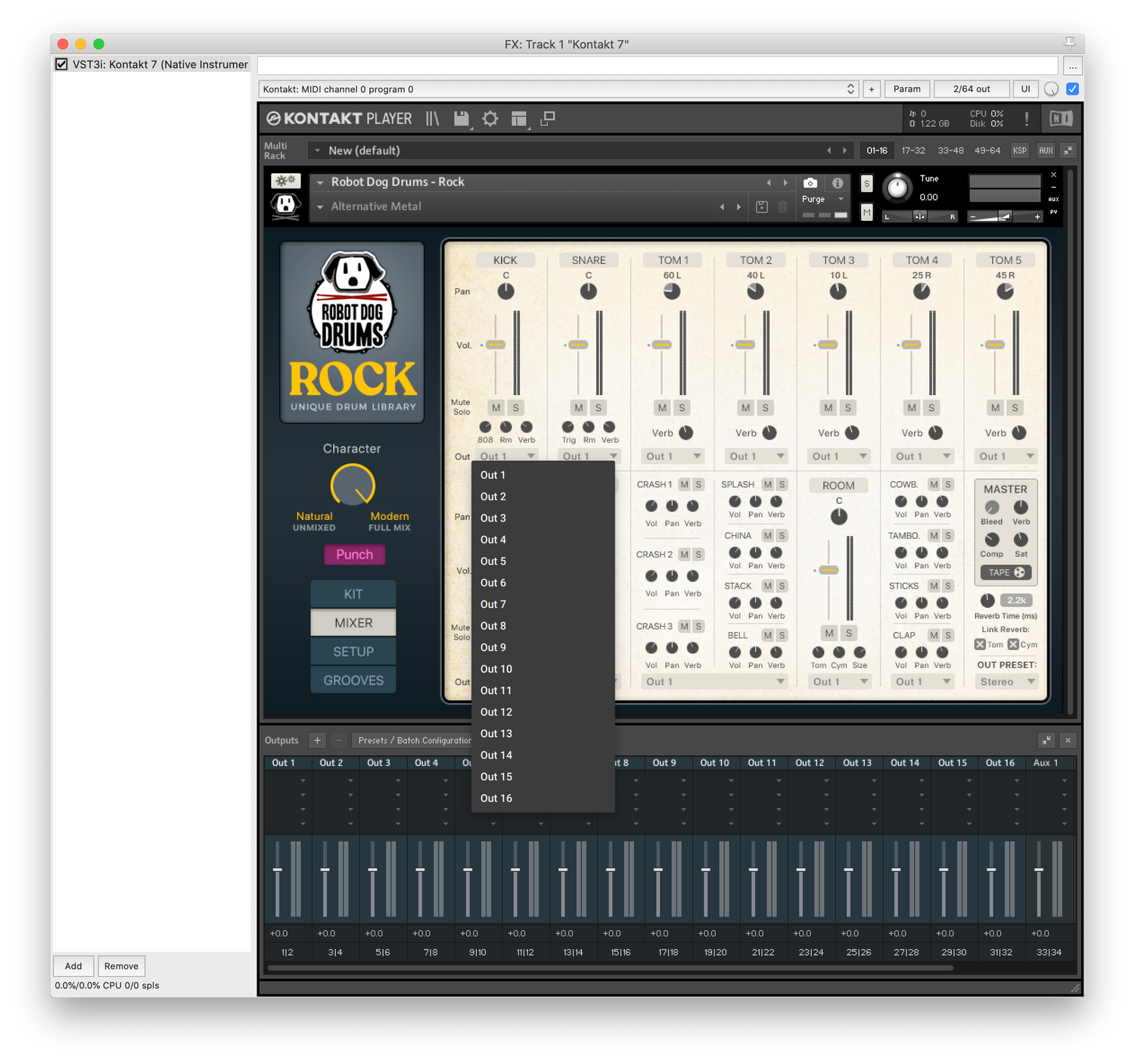
Step 6
Now you can load RDD in Kontakt and those outputs should be available in the RDD mixer.
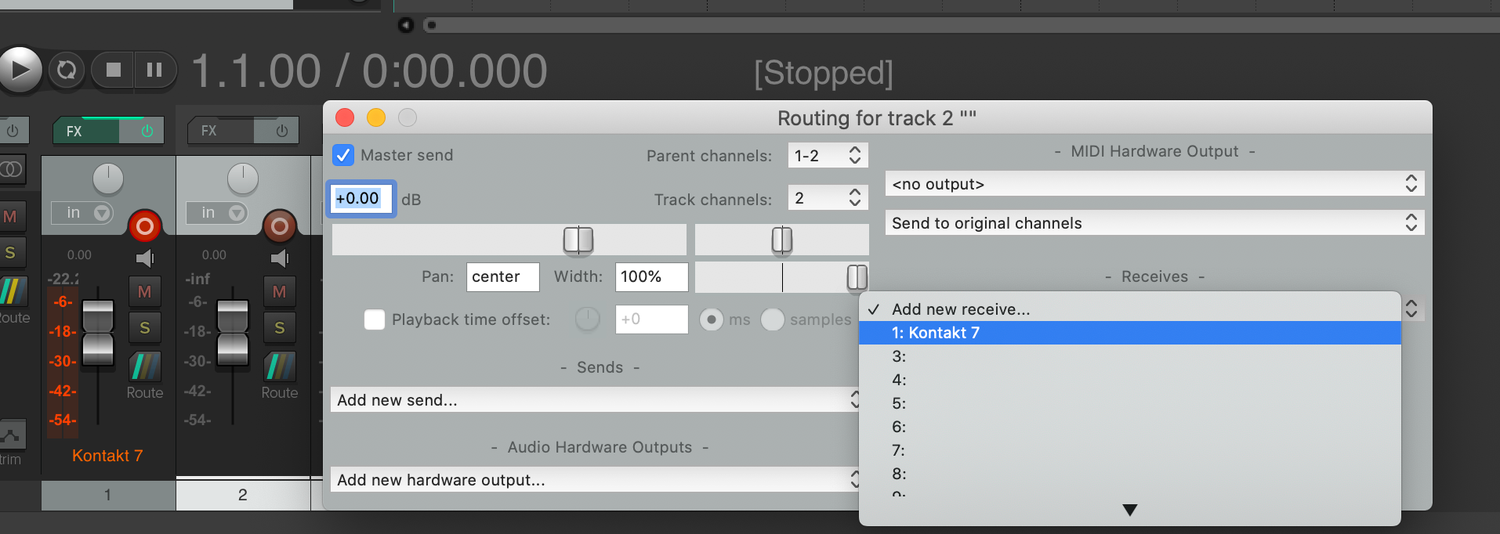
Step 7
Now insert "Multiple tracks..." in Reaper.
Click "Route" on one of the new tracks, go to "add new receive>kontakt 7"
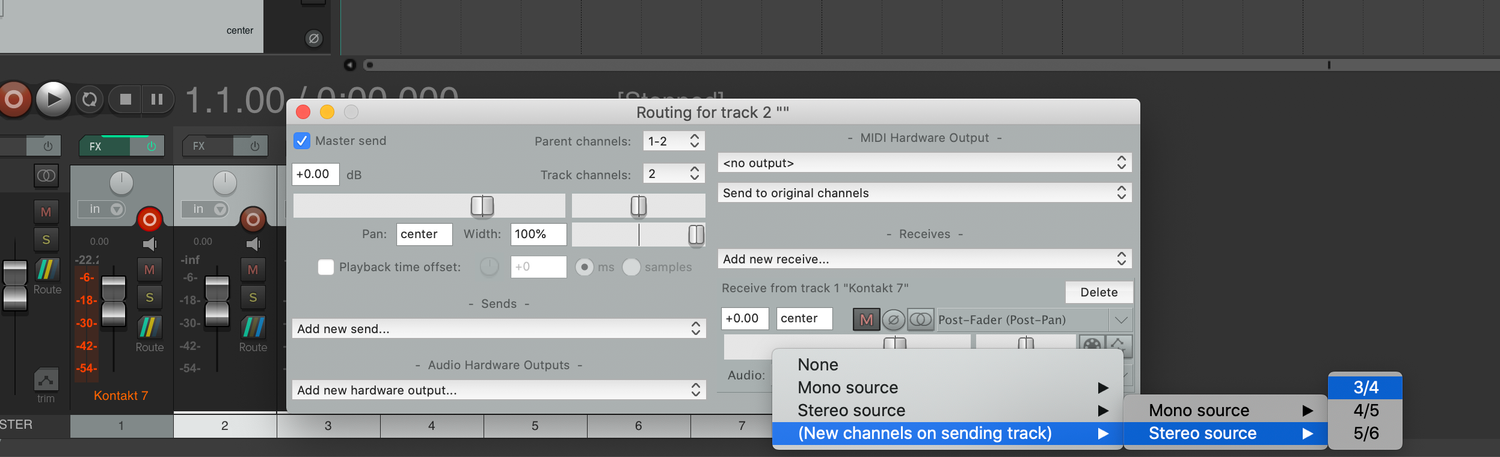
Step 8
Click "Audio: 1/2" and set it to "new channels on sending track>stereo source>3/4"
Do this for each track/channel you want to output to.